Dues and renewals, on a cycle that runs itself.
Collecting dues is not one job. It is issuing the right invoice for the right membership level, reminding people before the date rather than after it, taking the money on a processor you chose, applying a late fee the board actually voted for, and knowing at the end of the year what share of renewals were paid.
All of that runs on a schedule you set once. What follows is exactly what happens, in the order it happens.
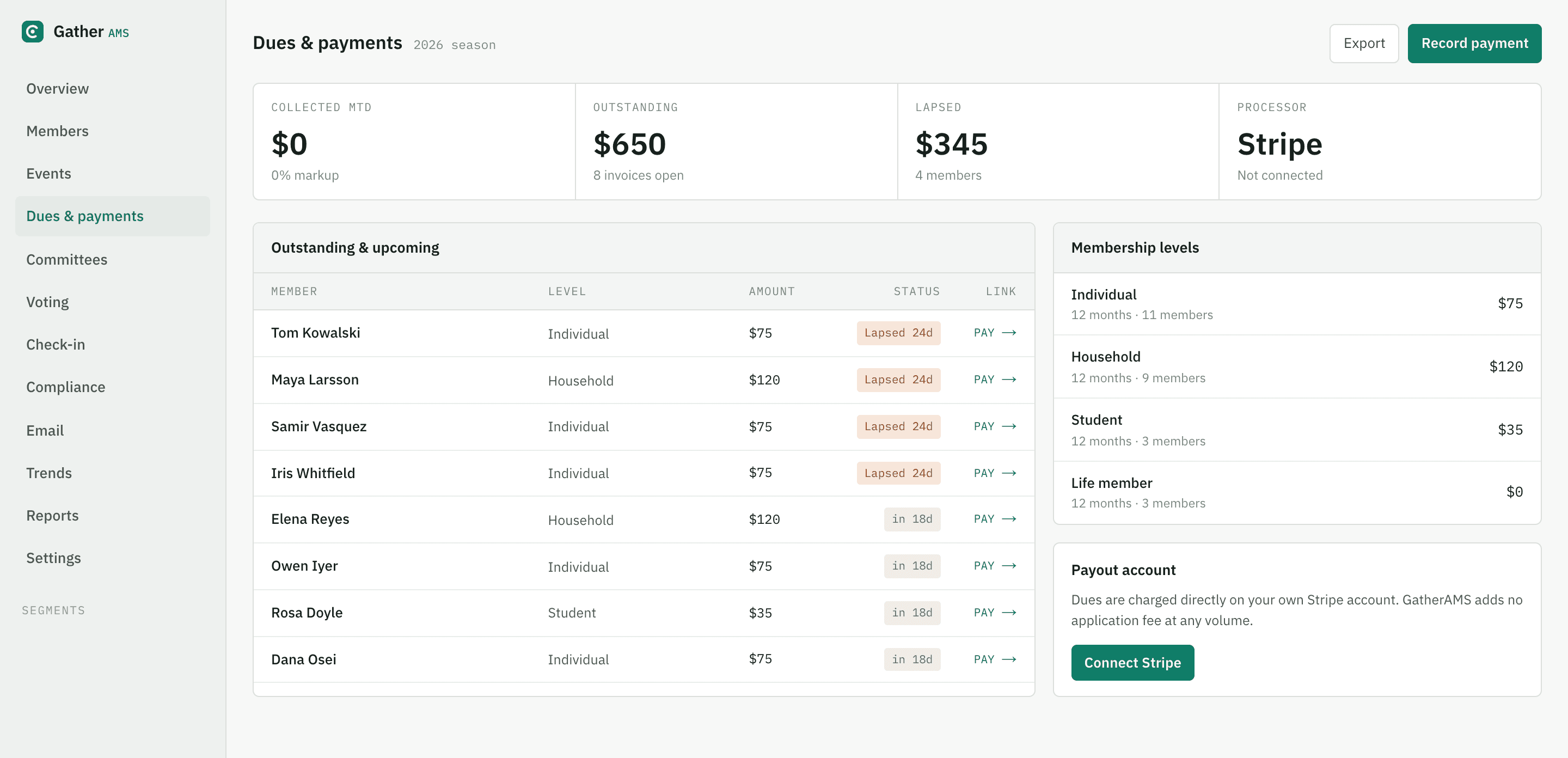
Dues and payments from the Cedar Valley demo — what is collected, what is open, and what has lapsed.
The renewal cycle
One pass per member per year, on their own anniversary rather than a single billing day for the whole roster.
- Day −30, −7 and −1
Reminders go out before the date
Three reminders ahead of the renewal, from a named person rather than a no-reply address. A member who intends to pay usually does so on the first one; the other two are for the people who read mail weekly.
- Renewal day
The invoice is issued at their level
The amount comes from the membership level on their record, so a household, a company membership and an individual are billed correctly without anyone editing a number. Autopay charges the card on file; everyone else gets a link that opens a payment page with no account to create.
- After the due date
Late fees, if the board voted for them
Applied automatically on the schedule you configured, and never invented per member. The reminder that follows quotes the new balance rather than one already out of date.
- Day +30
Lapse, with a grace period first
A member is not marked lapsed the morning after their date. The grace period runs first, and the renewal rate is measured on invoices that have had time to settle — so billing recently never makes retention look worse than it is.
The parts that usually go wrong
The money goes to your account
Your own Stripe, at your own rate, with 0% added by us at any volume. There is no application fee anywhere in the platform — that is structural, not a pricing policy we could change later.
Members without email stay members
Plenty of long-standing members have no address on file. They keep a full record, a balance and a history; somebody records the cheque against their account and the ledger stays whole.
Renewal rate you can check
Measured as the share of renewal invoices that fell due in the last year and were paid, not as a count of who is still marked active. It is a number that comes from the ledger rather than from a status field.
One export your treasurer trusts
Sequential invoice numbers and account codes in a file that reconciles, reviewed before it posts. Two-way accounting sync is deliberately not built: an unattended sync can corrupt a set of books, an export cannot.
Questions people ask about this
How does GatherAMS handle member dues processing and automated renewals for associations?
Renewals run on each member's own anniversary rather than one billing day for the whole roster. Reminders go out 30, 7 and 1 days ahead; on the day, an invoice is issued at the amount set by that member's level, so households, company memberships and individuals bill correctly without anyone editing a figure. Autopay charges a card on file and everyone else gets a payment link that needs no account. Late fees apply automatically on the schedule the board set, a grace period runs before anyone is marked lapsed, and the money lands in your own Stripe account with 0% added.
Can members pay dues without creating an account?
Yes. The payment link in a renewal email opens a payment page directly — no password, no app, nothing to remember. This matters more than it sounds: requiring every member to hold an account is the single most reliable way to make a membership system fail in a volunteer organization.
What happens if a member pays late?
A late fee is applied on the schedule you configured — automatically, and only if the board voted for one. The reminder that follows quotes the updated balance. A member is not lapsed the day after their renewal date; a grace period runs first, and only then does the status change.
How much does GatherAMS add to dues payments?
Nothing. Your members pay on your own Stripe account at that processor's own rate — typically 2.9% + 30¢ — and GatherAMS adds 0% on top at any volume. Several platforms in this category add 1.5–4% of your dues, or charge a percentage of your subscription for using your own processor; the arithmetic on that is published on our payment-fees comparison.
See this running in Trade Associations
A real account with real records — the screens above are from it. One field, and the link opens it on this device.
Up to 5 visits per address. We will not put you on a drip campaign — the only follow-up is one invitation to apply, and only if it looks like a fit.