Everything it does, in one list.
No feature is gated behind a higher plan — the tiers are about how many contact records you hold, not what you are allowed to do. What follows is the whole catalog, including the handful of things we have deliberately decided not to build.
Violation tracking for self-managed HOAs: a three-stage notice ladder with cure periods, photo evidence, ARC requests and an owner portal.
How it works →How dues and automated renewals work: level-based invoices, reminders at 30, 7 and 1 days, autopay, late fees, and 0% added to your payments.
How it works →What the work actually looks like
The catalog further down says what exists. This says how the year runs — and, for each job, what runs by itself and where you stay in charge. Every screen is the live demo, not a mock-up.
Welcome a member
You decide who gets in. Everything after the click — roster, invoice, welcome email — is automatic.
Approve this applicant yourself →- A public join page anyone can complete at 9pm without phoning anyone — applications land in a queue, not an inbox.
- Approving adds them to the roster, raises their first invoice, and emails a welcome with the payment link and their own member page.
- Their renewal date is set from the membership term the moment they are in.

Collect renewals
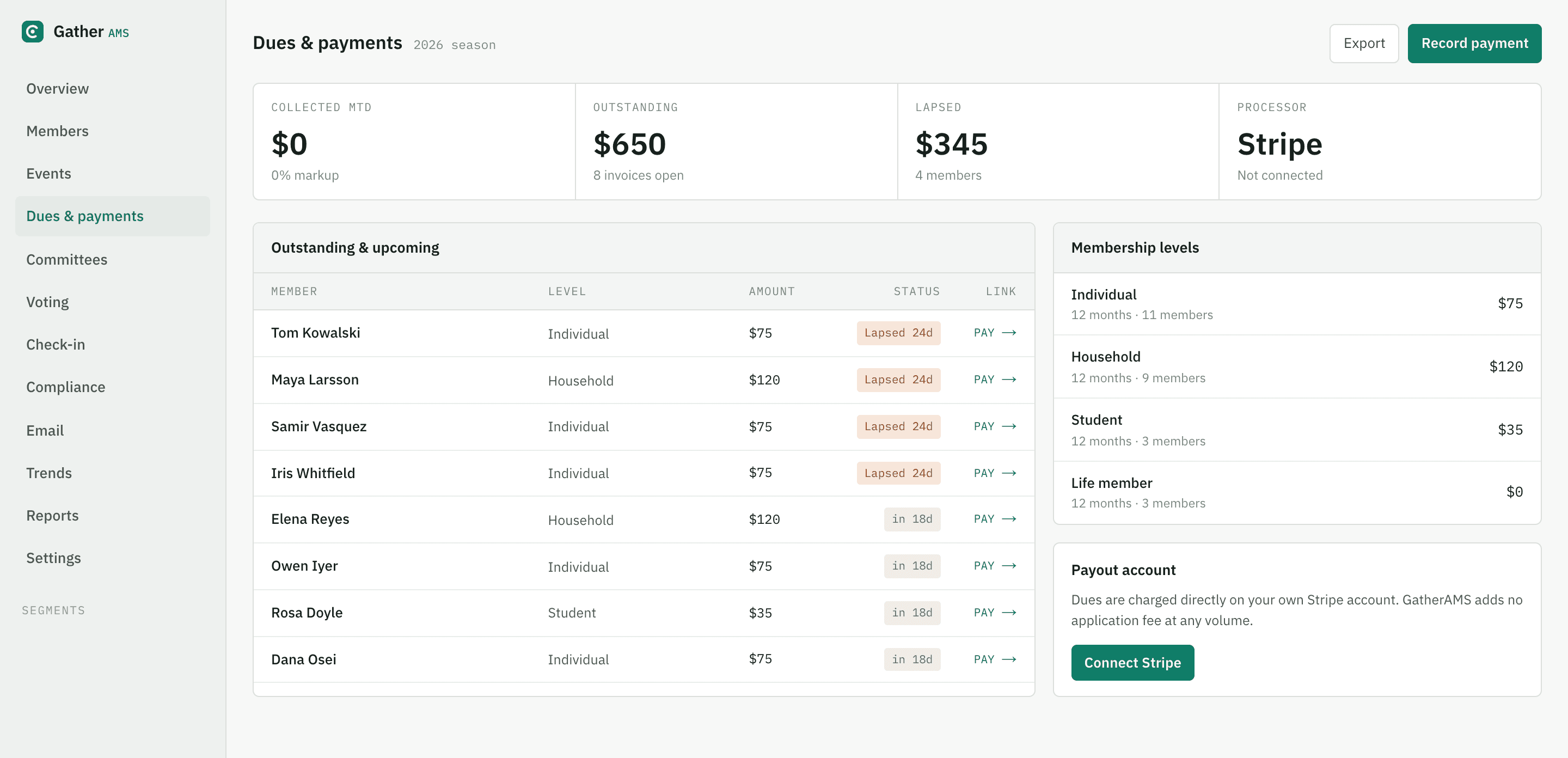
Raising and reminding is automatic. The renewal-risk queue scores who is worth a personal call — the call is yours.
Open the dues screen →- Every member carries a renewal date; invoices are raised on schedule and reminders go out without anyone remembering to send them.
- Who has paid, who is due, who has lapsed — every open invoice with its own payment link, on one screen.
- Dues land in your own Stripe account at your own rate. We add nothing at any volume.
Run an event
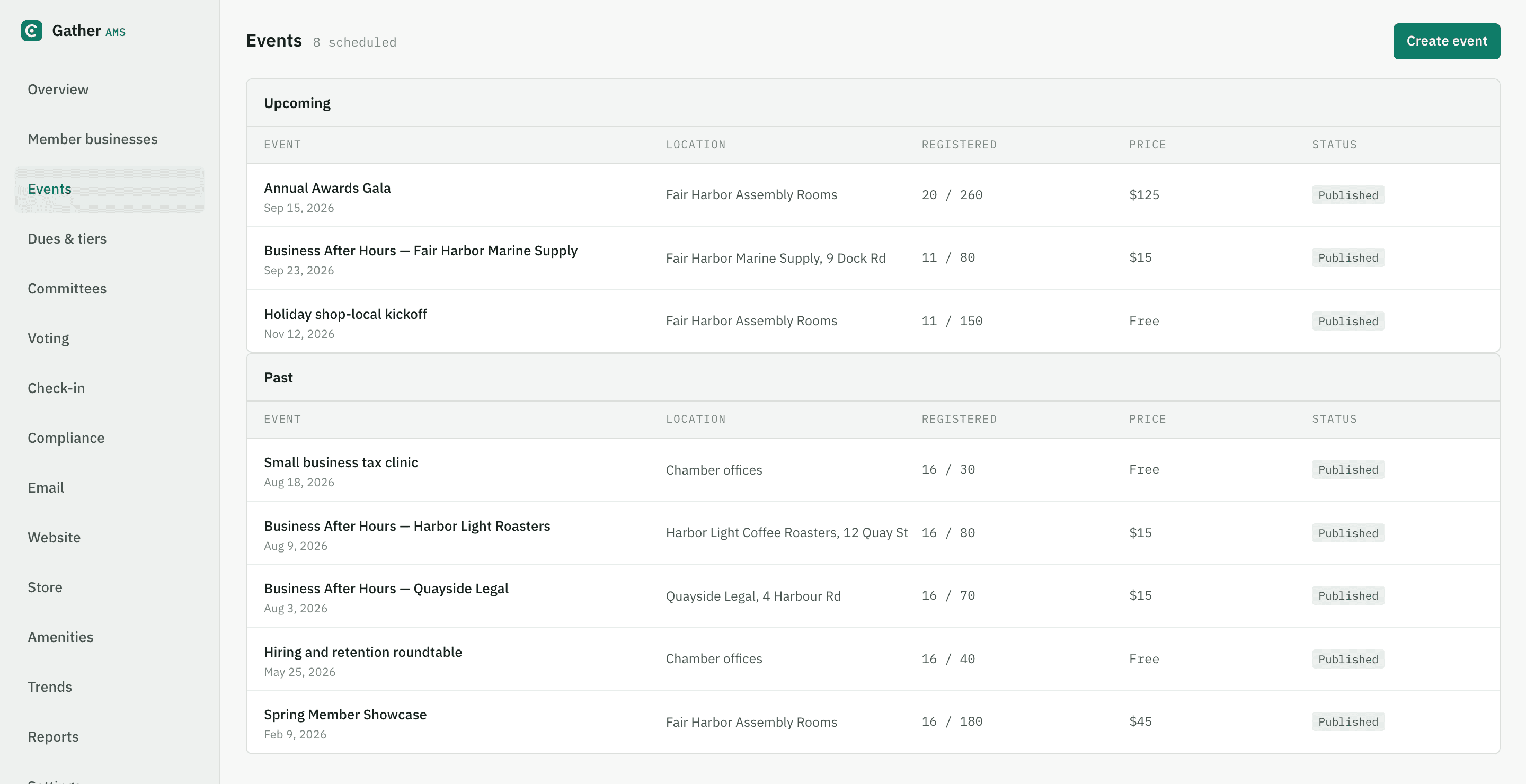
You set the price and the capacity. Registration, tickets and the count are automatic.
Walk the chamber calendar →- Set ticket types and prices once — registration and the attendance list run themselves from the event page.
- Ticket money settles into the same ledger as dues, so there is no separate export to reconcile afterwards.
- On the day, check-in is a phone and the list.
Prepare a board meeting
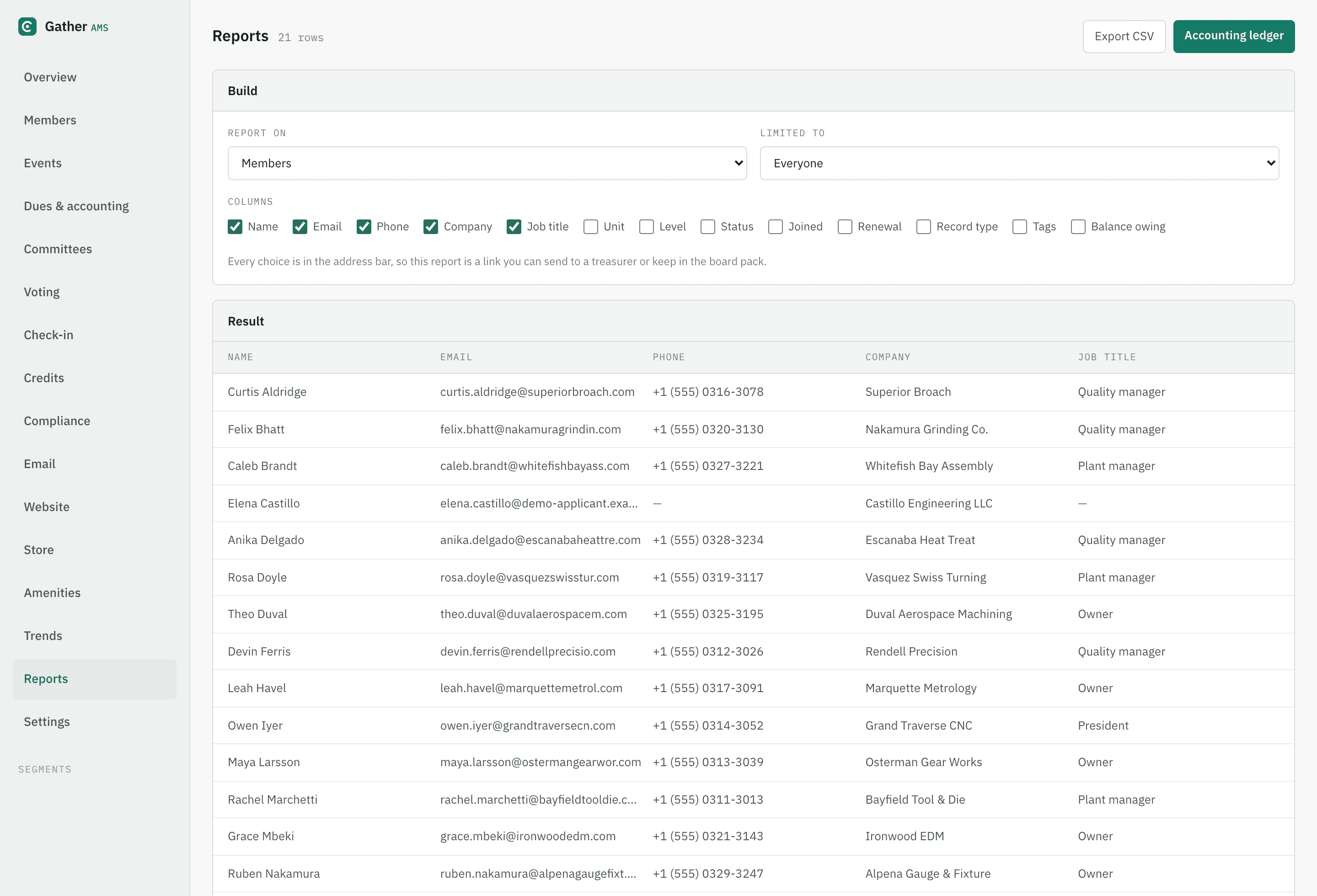
You choose what the board sees. The gathering, filtering and export are automatic.
Build a board report →- Pick the subject, tick the columns — outstanding dues, renewal dates, balances — and filter to any segment.
- Every choice lives in the address bar, so a report is a link you can send to a treasurer or keep in the board pack.
- CSV export and the dated accounting ledger come off the same screen.
Hand over administration
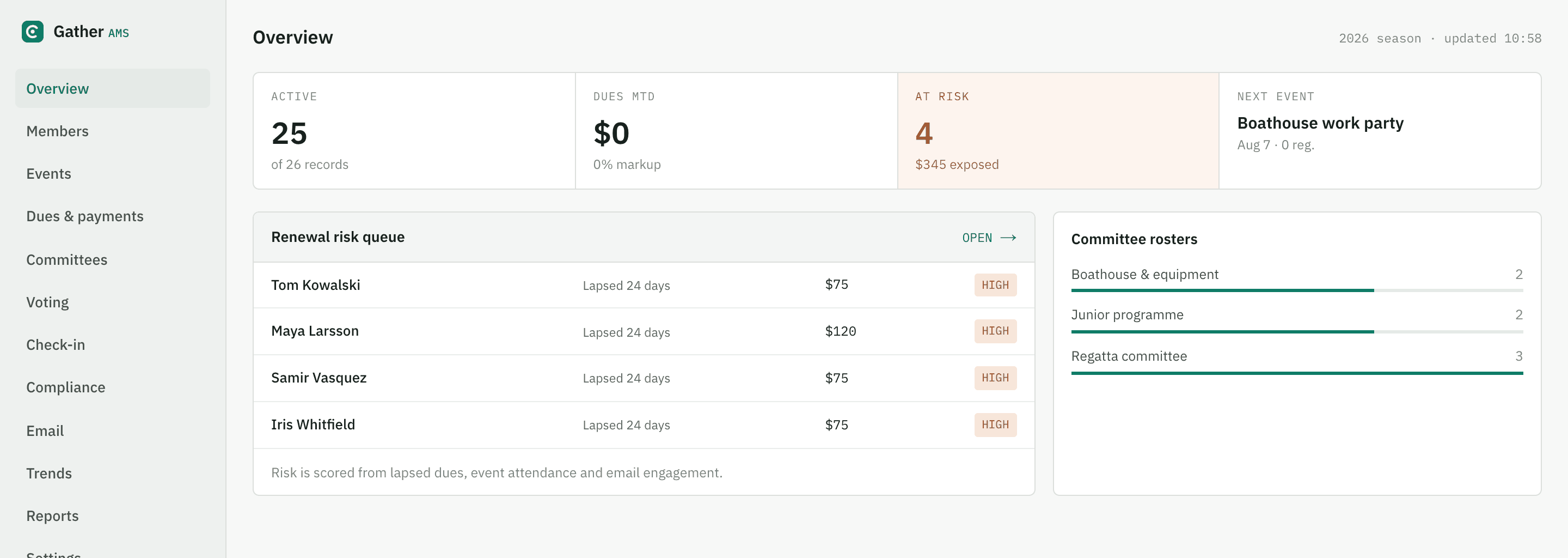
You grant the roles. The record — members, money, history — is already in one place, which is the handover.
See the day-one screen →- The whole organization's state on one screen — active members, dues out, who is at risk, what is next. Day one for your successor.
- Colleagues get roles and scopes, not your password.
- Your data leaves whole, any time: full export, no request form, no fee.
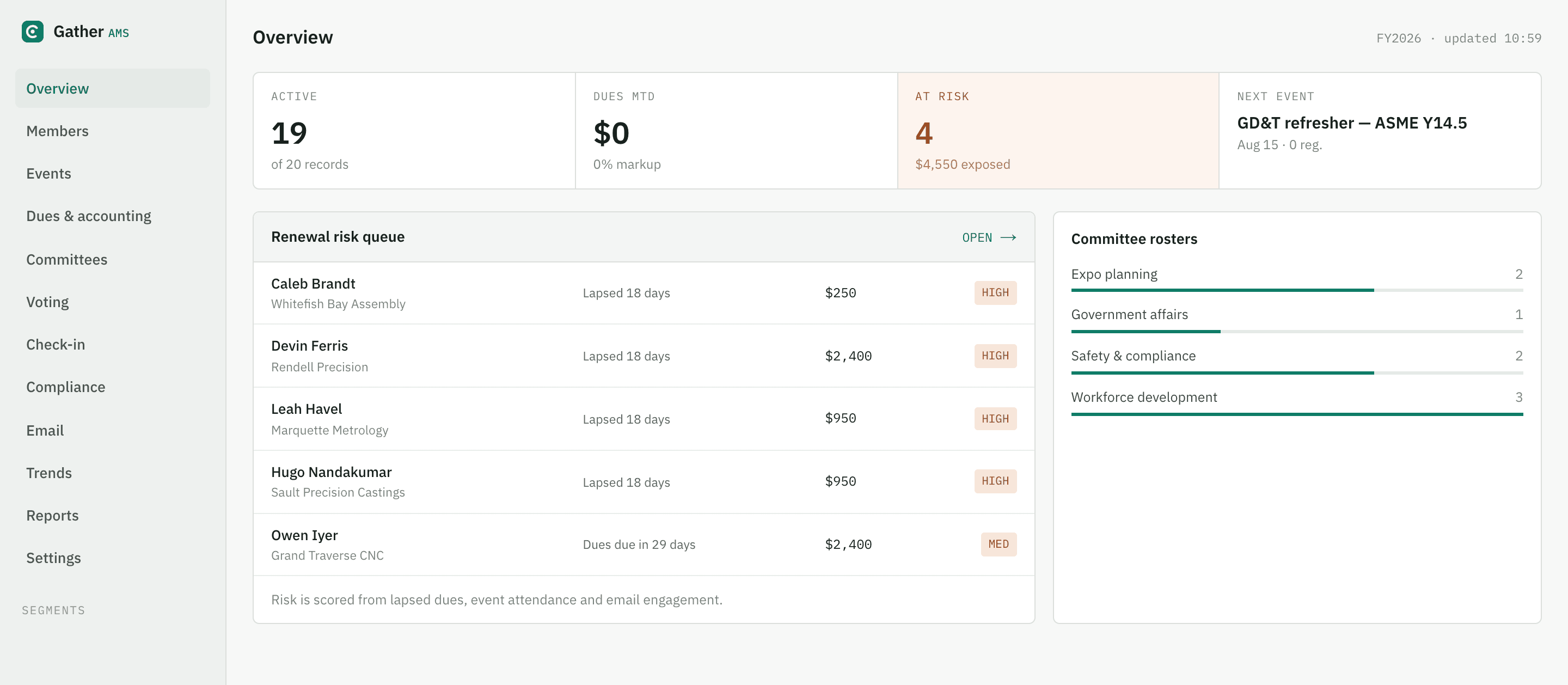
Everything marked Live below is in this one console — the live demo association, not a mock-up.
Members & contacts
The roster itself — who they are, how they are grouped, and how they join.
Events & scheduling
From a free work party to a two-day expo with tiered tickets.
Website & public pages
What the public sees, on your own site rather than ours.
Communications
Reaching the whole roster, or exactly eleven people.
Payments, billing & accounting
Money in, and books your treasurer will sign off.
Compliance & governance
Committees, elections, credentials and the rules a board has to keep.
Mobile
What works in a hand, on site, with one bar of signal.
Reporting & analytics
Questions you get asked, answered without exporting first.
Integrations & API
Getting data out, and letting other software in.
Platform & security
The things nobody buys on, and everybody needs.
Everything marked Live is switched on in the demo
Rather than take a feature list on trust, open the account and try the three that decide it for you.
Up to 5 visits per address. We will not put you on a drip campaign — the only follow-up is one invitation to apply, and only if it looks like a fit.
The three we are not building, and why
Two-way accounting sync. An integration that writes to your ledger can corrupt the one record you cannot reconstruct. You get a reconciliation-ready export your treasurer reviews before anything posts, and keeps the final say.
Bulk SMS. Text messaging is a compliance surface — consent, opt-out, carrier registration — that we would do badly at this size. Email, we do properly.
A published Zapier app. Not ours to ship alone; it needs an app approved in their directory. The REST API and outbound webhooks are live in the meantime, and they are what a Zapier app would be built on anyway.
59 lines is a lot to read. Go and press them instead.
Every flavor has a live demo account with everything marked Live switched on.